The Only NVIDIA DGX Spark Setup & LLM Inference Guide You Will Ever Need
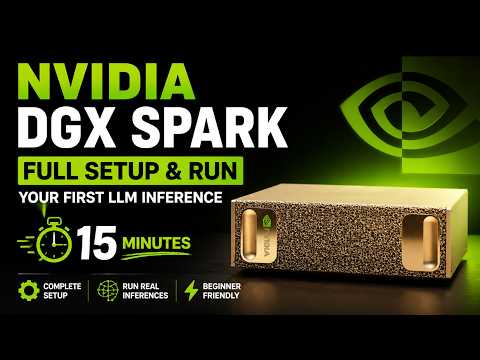
If you’ve just gotten your hands on the NVIDIA DGX Spark, you might be wondering exactly how to transform it from a sleek piece of hardware into an absolute powerhouse for Generative AI workloads. In this guide, we’ll walk through the entire setup process from scratch, configure it for remote access, and run local inferences using the Gemma 4 model.
Hardware Overview and Power Requirements
Before powering on the device, it’s essential to understand the physical ports available on the DGX Spark. The machine comes equipped with:
- A power input source and a dedicated power on/off button.
- Three USB-C ports.
- An HDMI port for your display connection.
- An Ethernet port for hardwired network access.
- A ConnectX-7 (QSFP) port, which allows you to stack multiple DGX Sparks together for scaled workloads.
Despite its supercomputing capabilities, the DGX Spark has surprisingly modest power requirements. It requires a peak total system power of just 240W, easily handled by a standard external 240W USB-PD power supply. Out of this, the CPU and GPU consume about 140W at peak load, while the remaining 100W goes toward the ConnectX-7 port and the onboard 4TB NVMe SSD fast storage.
Initial Configuration
To get started, plug the device into an external monitor via HDMI and attach a wireless mouse and keyboard using USB dongles. Upon booting, you’ll be greeted by the NVIDIA logo and prompted to:
- Select your language (e.g., US English) and timezone.
- Accept the default keyboard layout.
- Create a unique username and password.
- Connect to your local Wi-Fi network.
The system will then download necessary updates, restarting a few times in the process. Once complete, you will land on the DGX Spark home screen. Firing up the terminal and typing nvidia-smi will display your GPU device (identified as GB10), which utilizes unified memory architecture.
Going Headless: NVIDIA Sync & Tailscale
While using the DGX Spark with a dedicated monitor is great, operating it as a headless, standalone server is where it truly shines.
NVIDIA Sync allows you to access the DGX Spark from any other operating system (Windows, Mac, or Ubuntu). It automatically configures SSH access and seamlessly integrates with IDEs like VS Code and Cursor. You simply download the NVIDIA Sync application on your primary laptop, authenticate with the hostname and credentials configured during the initial setup, and you instantly have terminal and code-editor access.
To take it a step further, you can integrate your DGX Spark with Tailscale. By generating an authentication key and enabling Tailscale, you create a secure, private network. This means you can log into your DGX Spark from anywhere in the world—even over a mobile hotspot—giving you remote supercomputing power on the go.
The DGX Dashboard & Jupyter Lab
NVIDIA makes monitoring system health incredibly simple with the built-in DGX Dashboard, accessible via your browser at localhost:11000. This dashboard gives you a real-time overview of system memory usage, GPU utilization, and other critical metrics.
From this dashboard, you can launch a pre-configured Jupyter Lab environment. Because it handles the necessary dependency installations dynamically, modules like numpy, torch, and transformers are instantly ready to import into a fresh Python 3 notebook.
Running Local LLM Inference with Gemma 4
With the environment ready, the real fun begins. Running an LLM locally ensures blazing-fast inference speeds without sending sensitive data to external servers.
For our test, we load the Gemma 4 (2B IT) instruction-tuned model. Utilizing custom functions to calculate metrics like “time to first token,” “generated tokens per second,” and “total decode time,” the inference executes flawlessly. Because the weights are loaded directly into the DGX Spark’s unified memory, the response streams back incredibly fast—often finishing before you can even read the first sentence.
The Real Advantage: Data Privacy and Cost
The beauty of the DGX Spark is absolute data privacy. If you are handling sensitive enterprise data or building agentic workflows around proprietary documents, your data never leaves the room. Furthermore, it completely eliminates the variable cloud API fees and token-based pricing associated with commercial LLM providers. It is an upfront hardware investment that pays massive dividends in both privacy and operational costs.
To view the video
- Click here
- Click on the image below
Want to know more about me?
Follow Me